
Configure recipient ordering
Learn how to run recipients in sequence (one after another) or simultaneously.
This guide explains how to configure ordered flows for Signers and Approvers, how to change the order, and what changes when you also control link delivery.
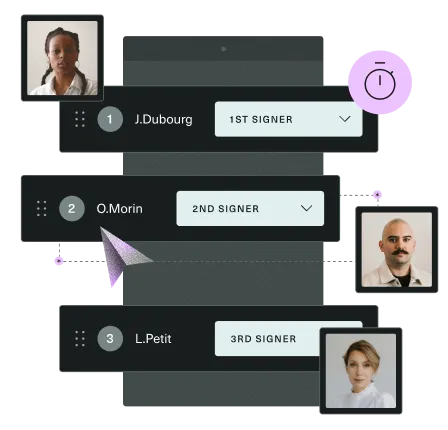
A Signature Request can include Signers and Approvers. The custom_recipient_order parameter, available on the Initiate and Update Signature Request endpoints, controls how these recipients are ordered.
| Value | Behavior |
|---|---|
false (default) | Standard ordering: all Approvers act before Signers. Approvers and Signers can each be simultaneous or sequential. |
true | Custom ordering: you define the full sequence of all recipients, regardless of role. |
Standard ordering (custom_recipient_order = false)
custom_recipient_order = false)All Approvers act first. Once every Approver has approved, Signers are notified.
Within each group, two parameters on the Initiate Signature Request endpoint control the execution order:
| Parameter | Default | Effect |
|---|---|---|
| ordered_approvers | false | When true, Approvers act one by one in sequence. |
| ordered_signers | false | When true, Signers sign one by one in sequence. |
When ordering is disabled (default), all recipients within a group are notified at the same time and can act independently.
Set the sequence
By default, ordered recipients follow their creation order. To change the position of a recipient, use insert_after_id on the Create or Update Signer / Approver endpoints.
- Set
insert_after_idto another recipient's ID to place them after that recipient. - Set
insert_after_idtonullto move them to the beginning of their group.
insert_after_id only works within the same role: a Signer can reference another Signer, an Approver can reference another Approver.
Custom ordering (custom_recipient_order = true)
custom_recipient_order = true)When custom_recipient_order is enabled, you define the execution order of all recipients together. Approvers and Signers can be freely interleaved.
When enabled:
ordered_signersandordered_approversare ignored.- Recipients follow their creation order by default.
Enable custom ordering
Set custom_recipient_order to true on the Initiate or Update Signature Request endpoint.
Set the sequence
Use insert_after_id on the Create or Update Signer / Approver endpoints to control their position. Unlike standard ordering, insert_after_id can reference a recipient of any role: a Signer can be placed after an Approver, and vice versa.
Parallel execution within a step
Use group_with_id on the Create or Update Signer / Approver endpoints to place multiple recipients in the same step. Recipients in the same group are notified at the same time and can act in parallel. The next step starts only when all members of the group have completed their action.
QES
When using QES (Qualified Electronic Signature), additional ordering constraints apply. See QES capabilities and limitations for details.
Updated 3 months ago