

List of error messages for failed identification
Here you will find the errors that a Signer may encounter during the identification phase of a Qualified Electronic Signature (QES).
The identification step is crucial in a Qualified Electronic Signature (QES) to ensure that the person signing is who they claim to be. For this purpose, we have a facial identification step and information matching with the ID document used.
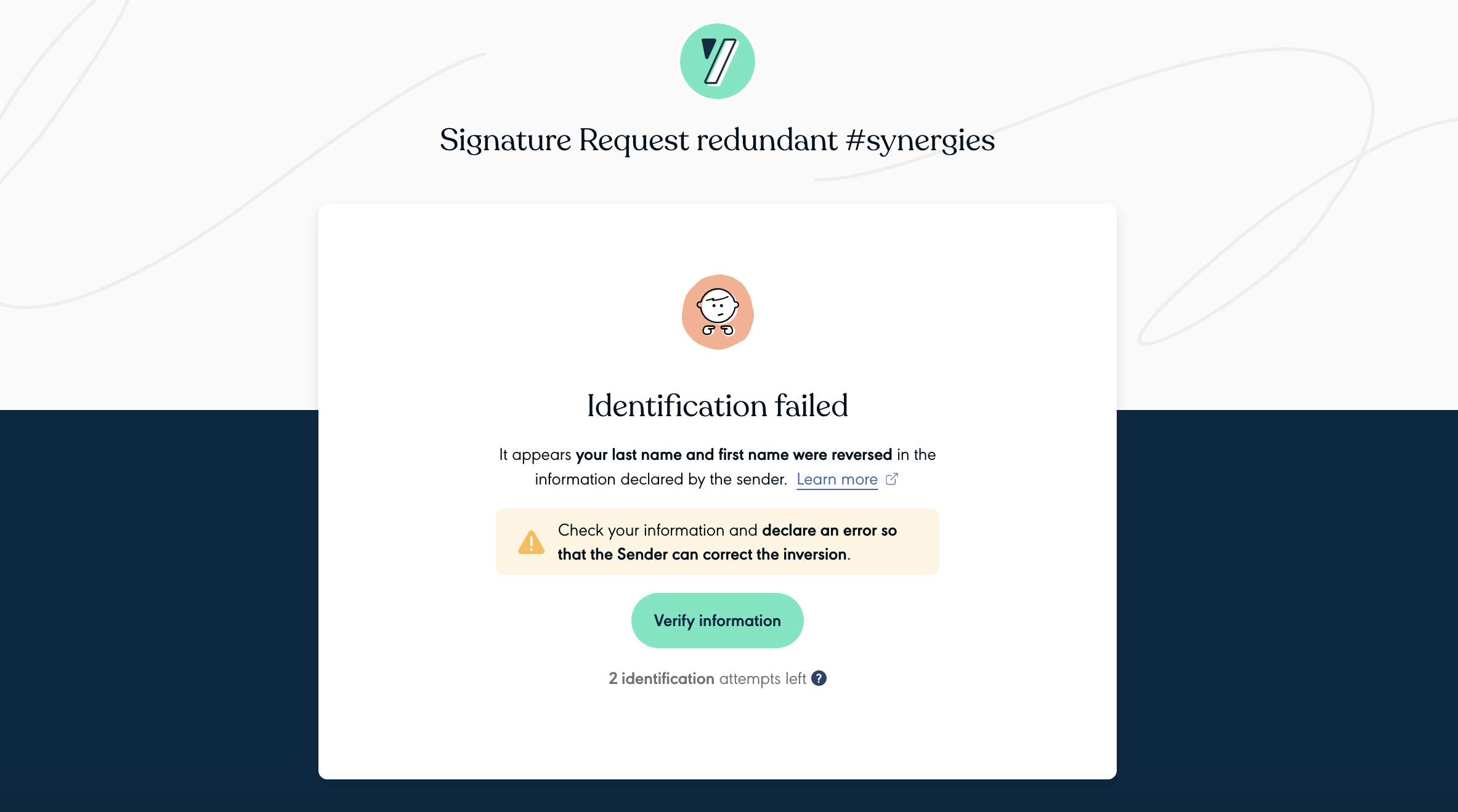
In a case of a failed identification, the Signer will be redirected to a page indicating the reason(s) of the failure to guide the User to a new, optimized attempt.
Here is an example of the page with one of the possible errors:
Document & Video quality issues
For a successful identification, we need an original document, not a copy, of good quality, with a good quality connection maintained throughout the process. The Signer must also be careful not to have a blurred camera, and not to have anything obscuring his face (hat, glasses, long hair).
| Error name | Error message | Advice provided |
|---|---|---|
| BAD INTERNET CONNECTION | We couldn’t complete the verification due to a connection or browser issue. | Please ensure you have a stable internet connection (Wi-Fi or 5G) or try again using a different browser. Firefox is not recommended.. |
| DOCUMENT INVALID PART MISSING | We couldn’t verify your identity because the front and back of your ID document don’t match or one side is missing. | Please make sure to show both sides of the same ID document. |
| DOCUMENT INVALID PART HIDDEN | We couldn’t verify your identity because your ID document wasn’t fully visible. | Please make sure your ID document is fully visible. |
| DOCUMENT INVALID FAILED RULE (1) | We couldn’t verify your ID document. It may be damaged or expired. | Please use another official ID document that is clear and still valid for your next attempt. |
| DOCUMENT INVALID FAILED OWNER | We couldn’t verify your identity because your ID document does not match the information provided by the sender. | Please make sure you are using a valid official ID document. If the information provided by the sender is incorrect, retry the process and declare an error. |
| DOCUMENT VERSION NOT ACCEPTED | This version of your ID can’t be used for a Qualified Electronic Signature. It may not meet the required security standards. | Please try again with another version of an official valid ID, making sure it is clear and easy to read. |
| DOCUMENT EXPIRY DATE MISSING | We couldn’t verify your identity because the expiration date on your ID document wasn’t readable. | Please try again with another ID document where the expiration date is clearly visible. |
| DOCUMENT NOT ORIGINAL | It looks like you used a copy or a digital image of your ID document instead of showing the official identity document. | Please use your the physical version of your official identity document. |
| TOO BLURRY | We couldn’t verify your identity because the video was too blurry. | Please make sure your camera records in high quality, stays stable during the capture, and if possible, use a recent device. |
| VIDEO QUALITY INSUFFICIENT | We couldn’t verify your identity because the lighting was too dark or unstable. | Please make sure your environment is well lit throughout the process. |
| ALTERED MATERIALS | We couldn’t verify your identity because your device isn’t fully compatible with our security requirements. | Please try again on another smartphone, as your current device may not be supported. |
| FACE IDENTIFICATION INVALID | We couldn’t verify your identity because your face wasn’t fully visible. | Please make sure the camera lens is clean and your face is unobstructed and fully visible (remove glasses and/or headgear). |
| FACE IDENTITY INCONSISTENCY | We were unable to validate your identification because we've identified an inconsistency during the verification of your identity or face. | Make sure you are using a single identity document that belongs to you, and that your face is recognisable. |
(1) - Please note that for error DOCUMENT INVALID FAILED RULE, we recommend that you advise your Signers to use another form of identification than the one used, and to ensure that the form used is an original and not a photo or photocopy.
You can find out more about the list of accepted documents in our Help-Center.
Identity matching issues
For a successful identification during the QES, we need a strict match between the information extracted on the ID document used by the Signer and thefirst name and last name entered by the Sender, to ensure the quality of the signature certificate issued and to avoid potential legal disputes.
In the event of a mismatch error and to optimise the success rate of the next attempt to avoid over-consumption of credit, we block the Signer and we invite him to contact the Sender before having a waiting page until the Sender makes the right changes.
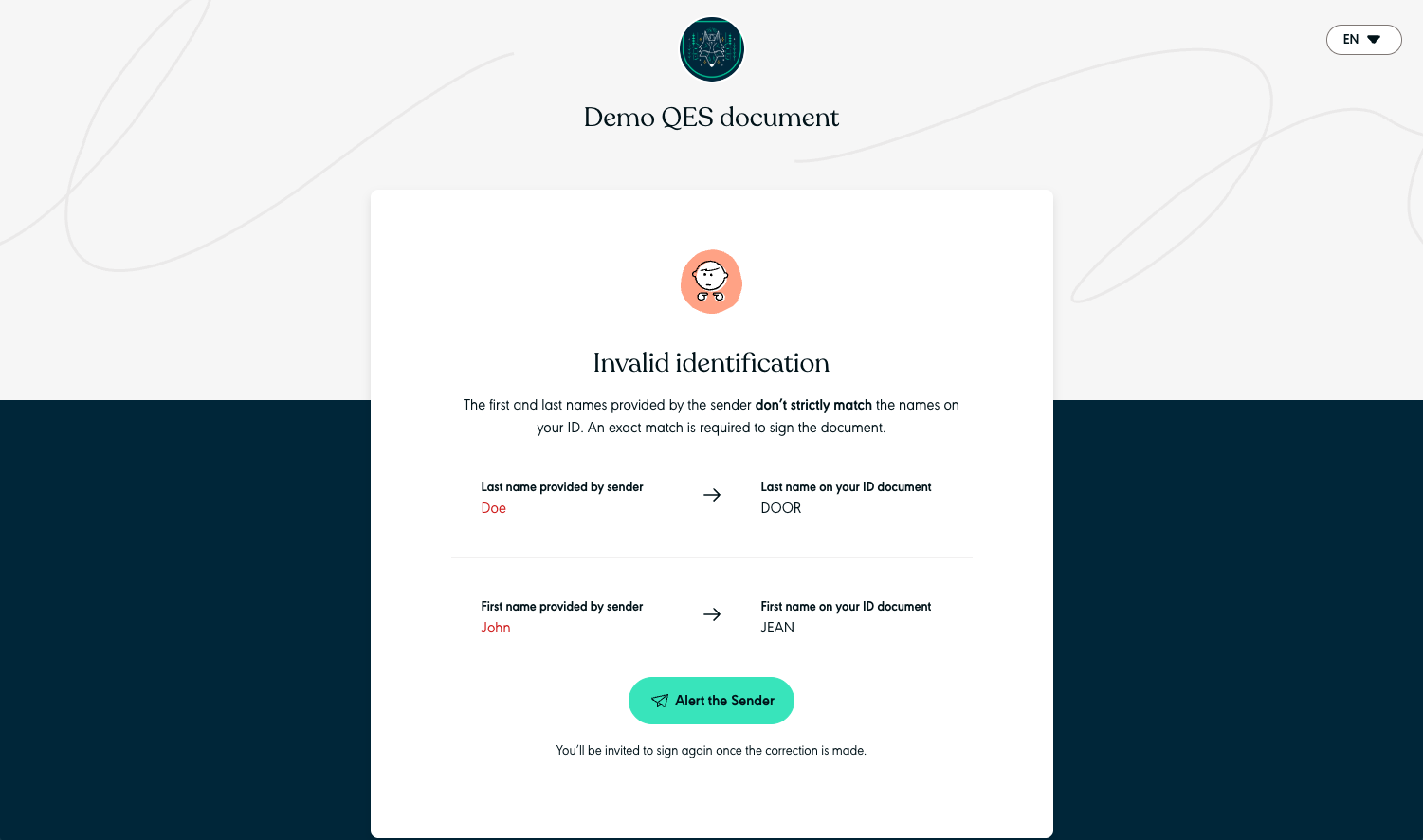
The error screen where the Signer must notify the Sender
To manage this case, please consult the dedicated guide page. Please note that customers who activated the QES add-on before July 2025 do not have the correction optimisation feature enabled. The Signer must themselves declare the correct details as they appear on their identity document. Please contact your Sales Representative so that your organisation can benefit from this feature.
Here is the list of errors linked to incorrect identity information matching where the Sender has to correct with the right information, related to the webhook signer.identification_failed.
| Error name | Reason |
|---|---|
| FIRSTNAME MISMATCH | It appears the first name provided by the sender and the first name on the identity document don’t match. Check that the first name declared by the Sender is strictly one of the given names on the identity document used. |
| LASTNAME MISMATCH | It appears the last name provided by the sender and the last name on the identity document don't match. Check that the last name declared by the Sender is strictly one of the last names (married, birth or usage) on the identity document used. |
| PROBABLY TOO MANY LASTNAME PARTS | It appears the sender declared too much last names and we couldn't match them on what is displayed on the identity document. Check that the last name declared by the Sender is strictly one of the last names (married, birth or usage) on the identity document used. |
| PROBABLY MISSING LASTNAME PARTS | It appears the last name provided by the sender doesn’t match the identity document. Check that the last name declared by the Sender is strictly one of the last names (married, birth or usage) on the identity document used. |
| PROBABLY MISSING FIRSTNAME PARTS | It appears the first name provided by the sender doesn’t match the identity document. Check that the first name declared by the Sender is strictly one of the given names on the identity document used. |
| FIRSTNAME LASTNAME INVERSION | It appears the last name and first name were reversed in the information declared by the sender. Check the information and the Sender has to correct the inversion. |
| PROBABLY TOO MANY FIRSTNAME PARTS | It appears the sender declared multiple first names and we couldn't match them on what is displayed on the identity document. Note: This error is historical and can no longer be returned since the release of this feature. |
Another identity-related error may be returned, but this will not block the Signer, as it is not a pure mismatch but information missing from the identity document used, leaving the Signer free to start again with another identity document.
This error is mainly due to ID documents that do not contain the first name, or the first name has been added to the surname on the same line on the identity document and has been incorrectly extracted. We strongly recommend that you advise your users to use another identity document with a first name separate from the surname or on a line other than the surname. We do not support these identity documents where the first name is incorrectly extracted because of the format.
| Error name | Error message | Advice provided |
|---|---|---|
| FIRSTNAME MISSING | We couldn’t detect your first name on the ID document. It may be missing or not clearly separated from your last name. | Please try again with another ID document that shows your first name and last name clearly separated.. |
Security & Technical issues
| Error name | Error message | Advice provided |
|---|---|---|
| FRAUD ATTEMPT DETECTED | We couldn’t verify your ID because our system detected unusual activity. | Please make sure you are completely alone during the recording process. Also ensure your environment is well lit, and that you use your own valid official ID.. |
| INTERNAL ERROR | We couldn’t verify your identity due to a temporary technical issue. | Please try again in a few minutes. |
| UNKNOWN(2) | There’s been an issue with your identity verification. | Make sure your ID is original, valid, and readable, and that your first name and at least one surname exactly match your ID document. |
(2) The UNKNOWN error is mainly provided when we have an inconsistency from our identity provider, like a breaking change for the error codes managed, or an empty value or an empty value that is not supposed to be returned by our provider.
You can find out more about our identity matching rules on our Help-Center and the specific character string returned for each error in the webhook signer.identification_failed detail.