

API & Webhook Logs
Understand how API and Webhook Logs help you monitor, debug, and validate your integration.
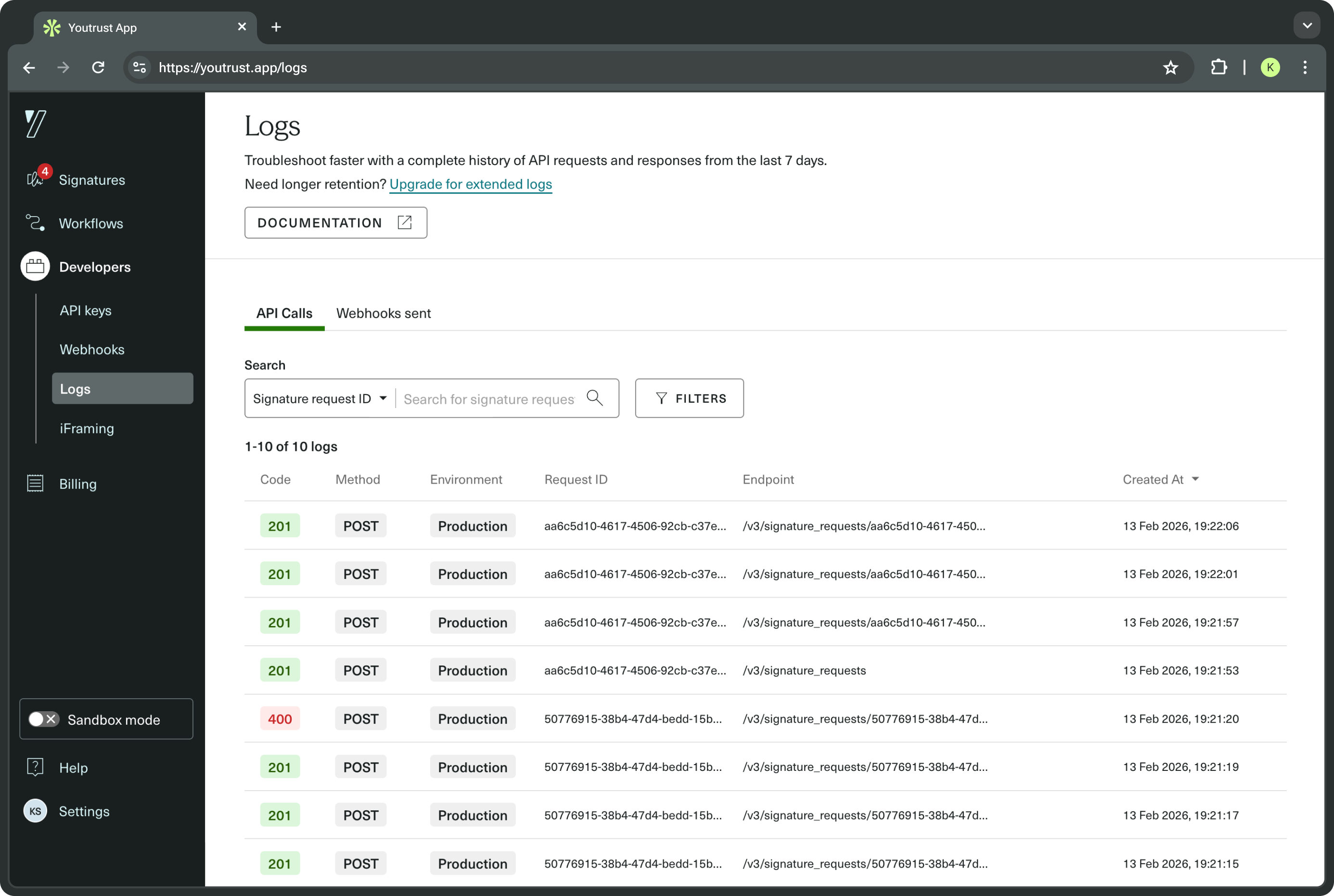
The Logs pages give developers clear visibility into API requests and Webhook deliveries made by your integration. They help you troubleshoot errors, validate behaviors, and accelerate integration work.
What you can inspect:
- HTTP status codes for each API request and Webhook delivery.
- Request and response bodies.
- Timestamps for when events occurred.
Why it matters?
Logs make it straightforward to:
- Trace a failing request and pinpoint the cause.
- Verify that a Webhook was sent and what payload was delivered.
- Confirm the sequence of events during a complex integration flow.
Retention period
Log retention depends on your plan:
| Plan | Logs retention |
|---|---|
| Plus | 24 hours |
| Pro | 7 days |
| Scale | 30 days |
| Free trial | 7 days |
Learn more
This page provides an overview only. For detailed instructions on using the Logs pages, see our Help Center article: How to use API Logs and Webhooks?